

Run Exploration
Assign questions
For each question, you will need to assign two roles: Assignee and Reviewer(s). You have the option to choose from existing collaborators who contributed to question sourcing or invite new team members.
The Assignee’s responsibility is to provide the answer to the question, while the Reviewer’s role is to either approve the answer or request revisions. Each question must have one or more reviewers, and all reviewers are required to approve the answer.
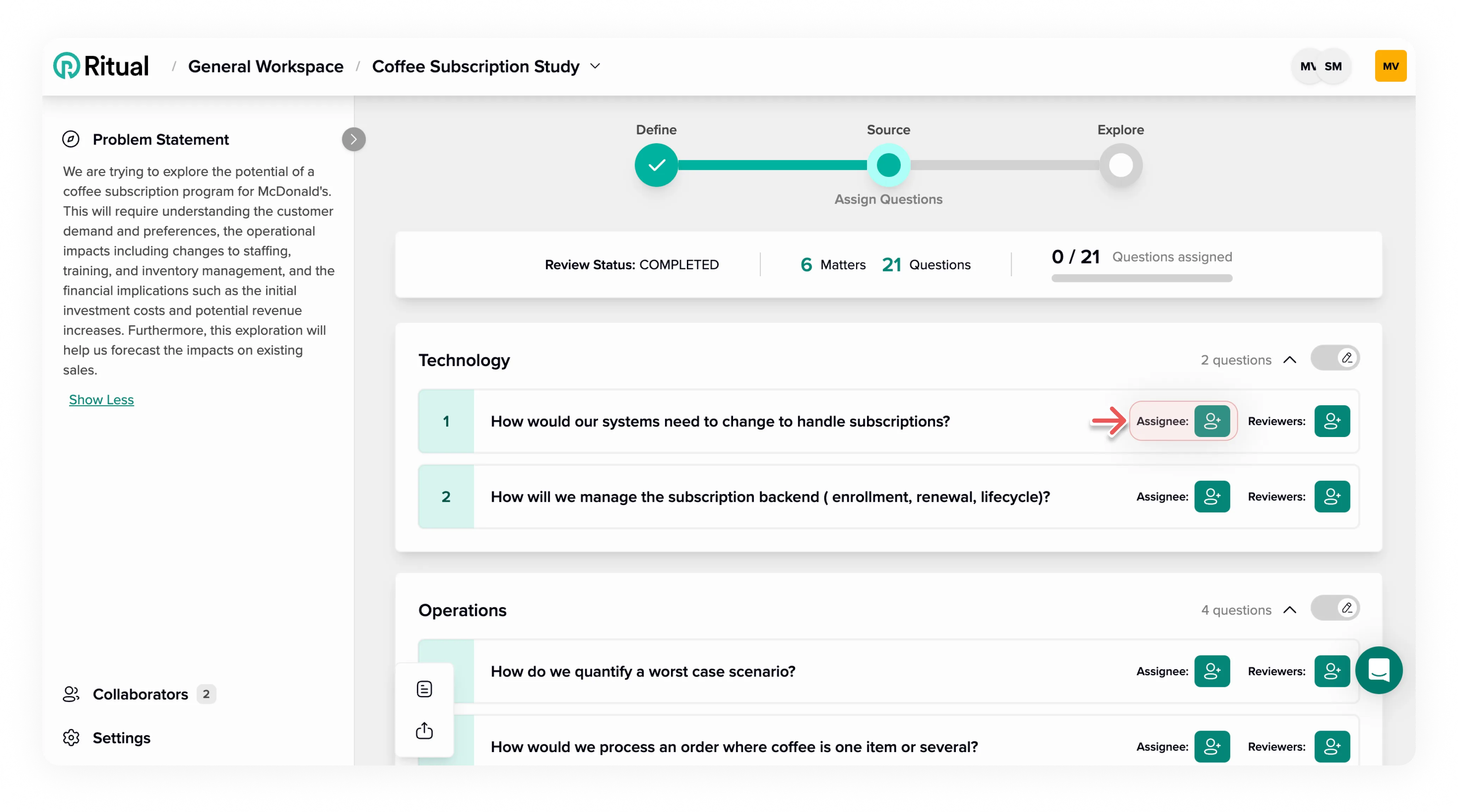
Click the assignee button.
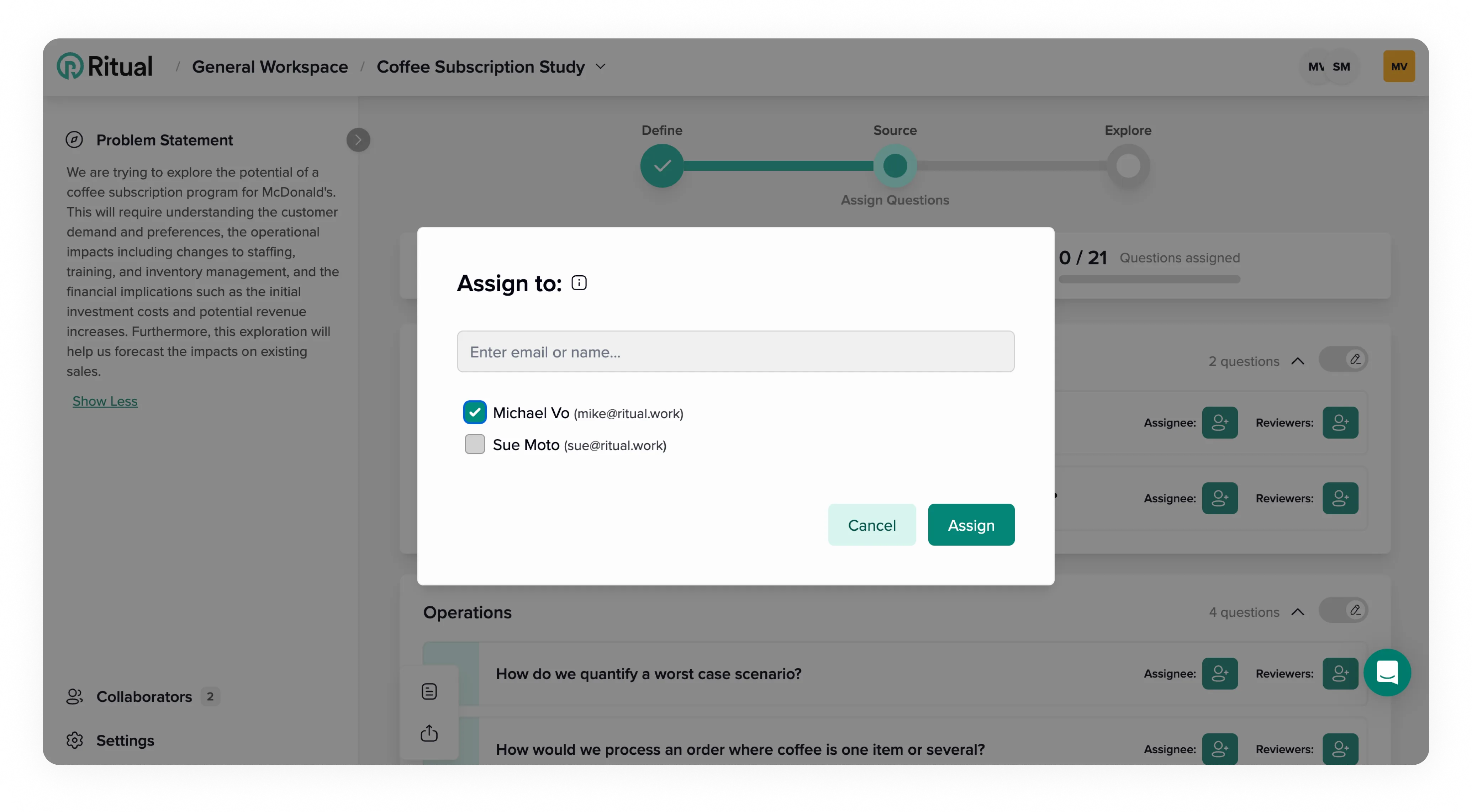
You can assign the question to an existing collaborator or a new person. Assigning a new person will automatically add them as a collaborator.
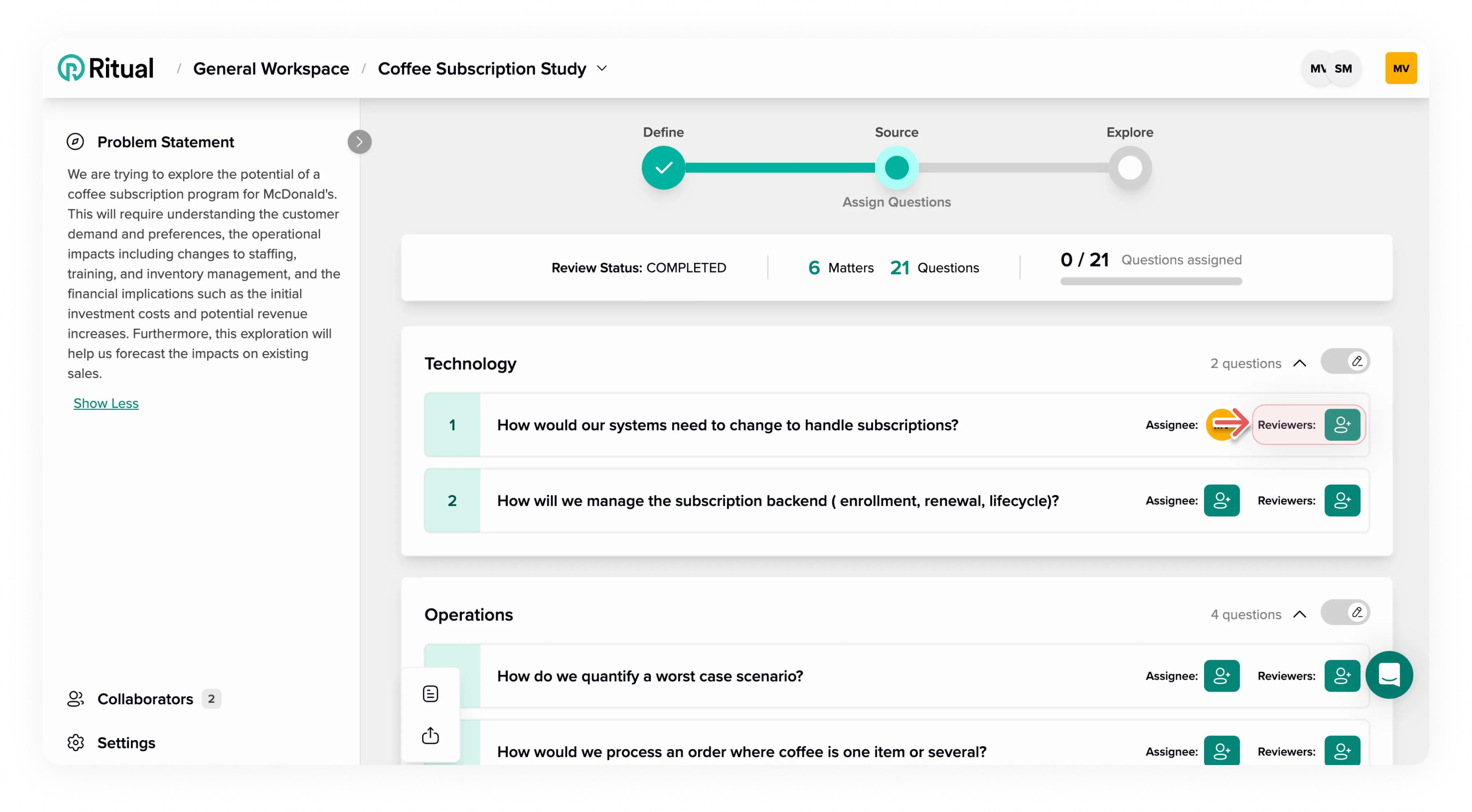
Click the reviewer button to assign a reviewer.
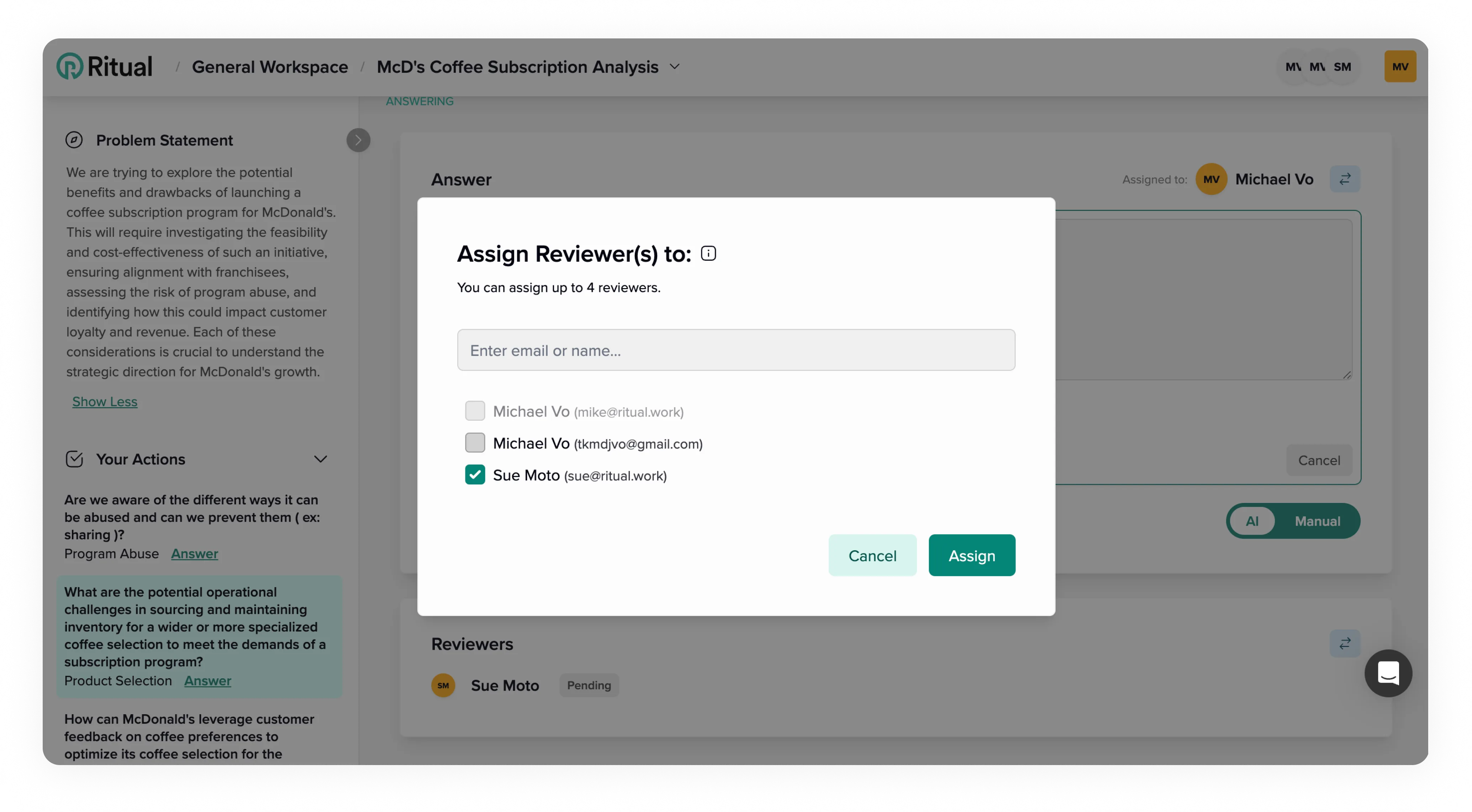
You can invite up to four reviewers.
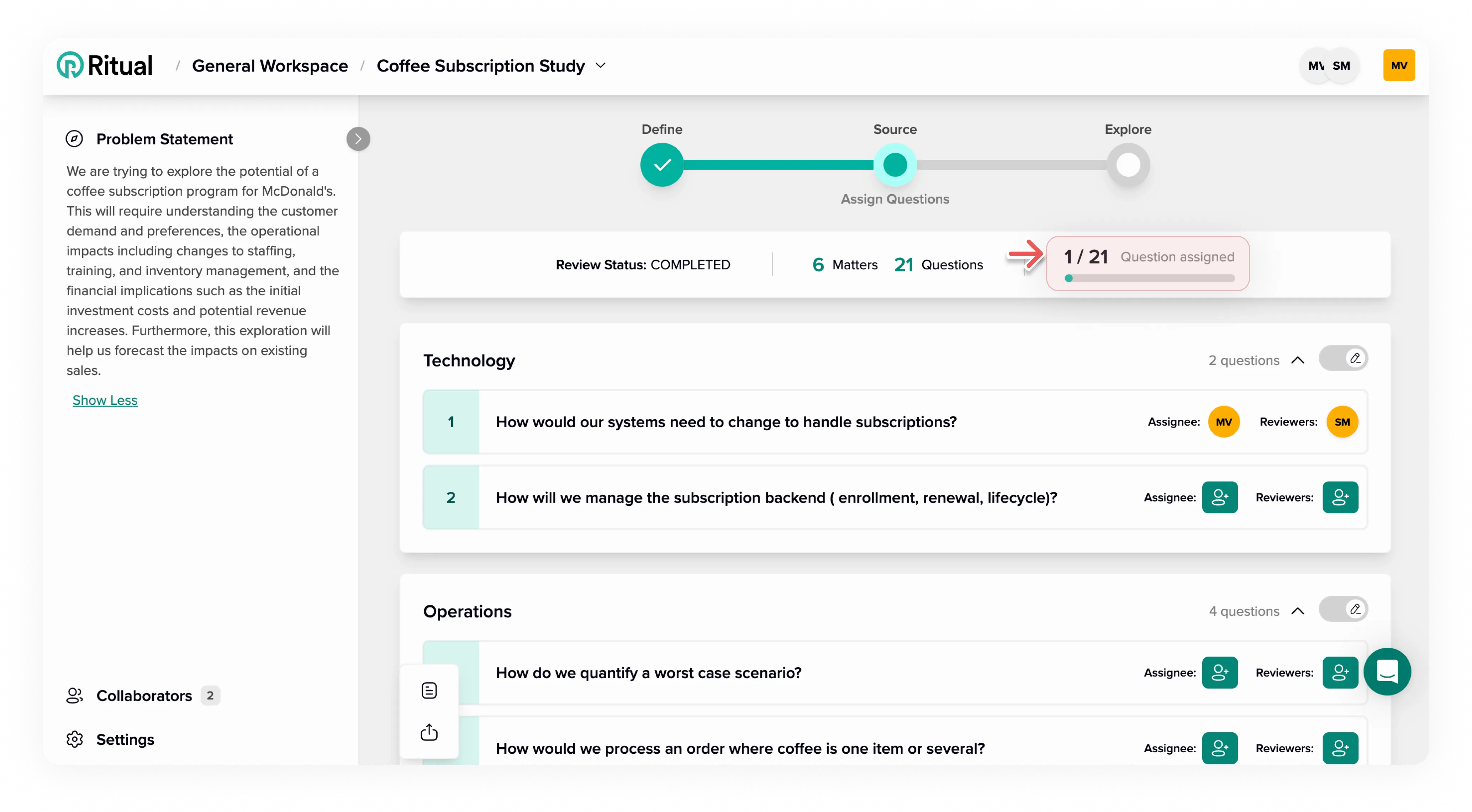
A question is considered assigned once it has someone to develop the answer and at least one reviewer.
Once all questions are assigned you’ll be able to run the exploration.
Set period for answering
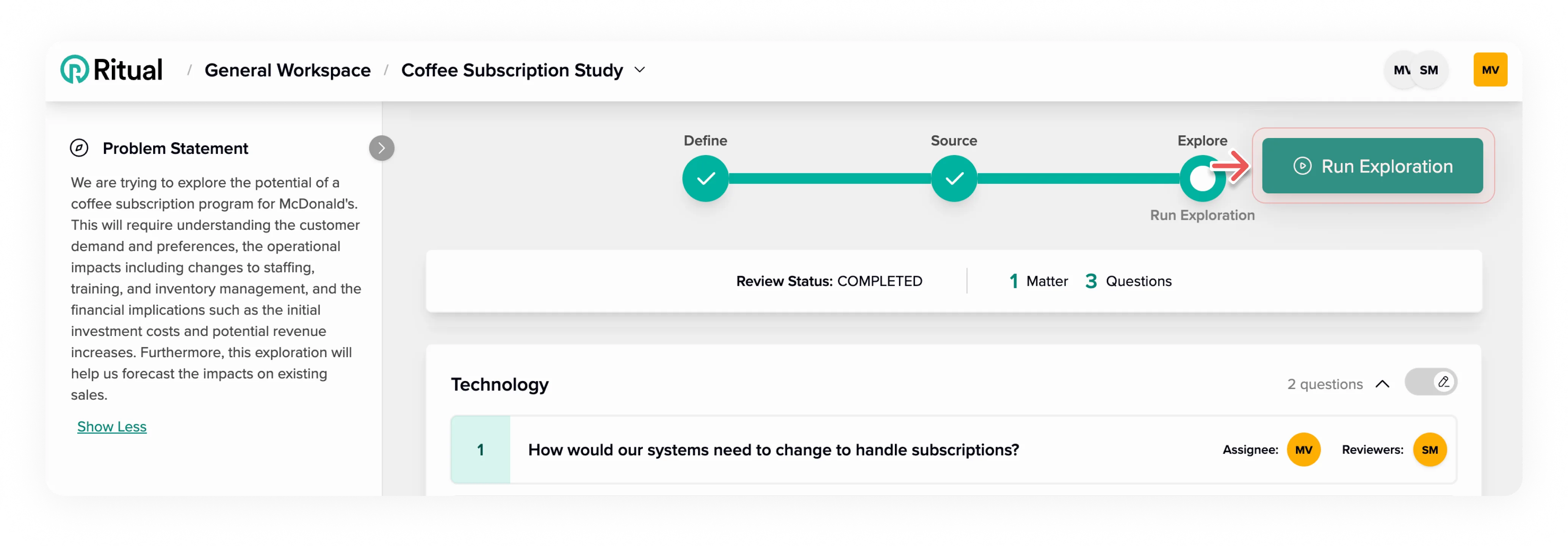
To run the exploration click here.
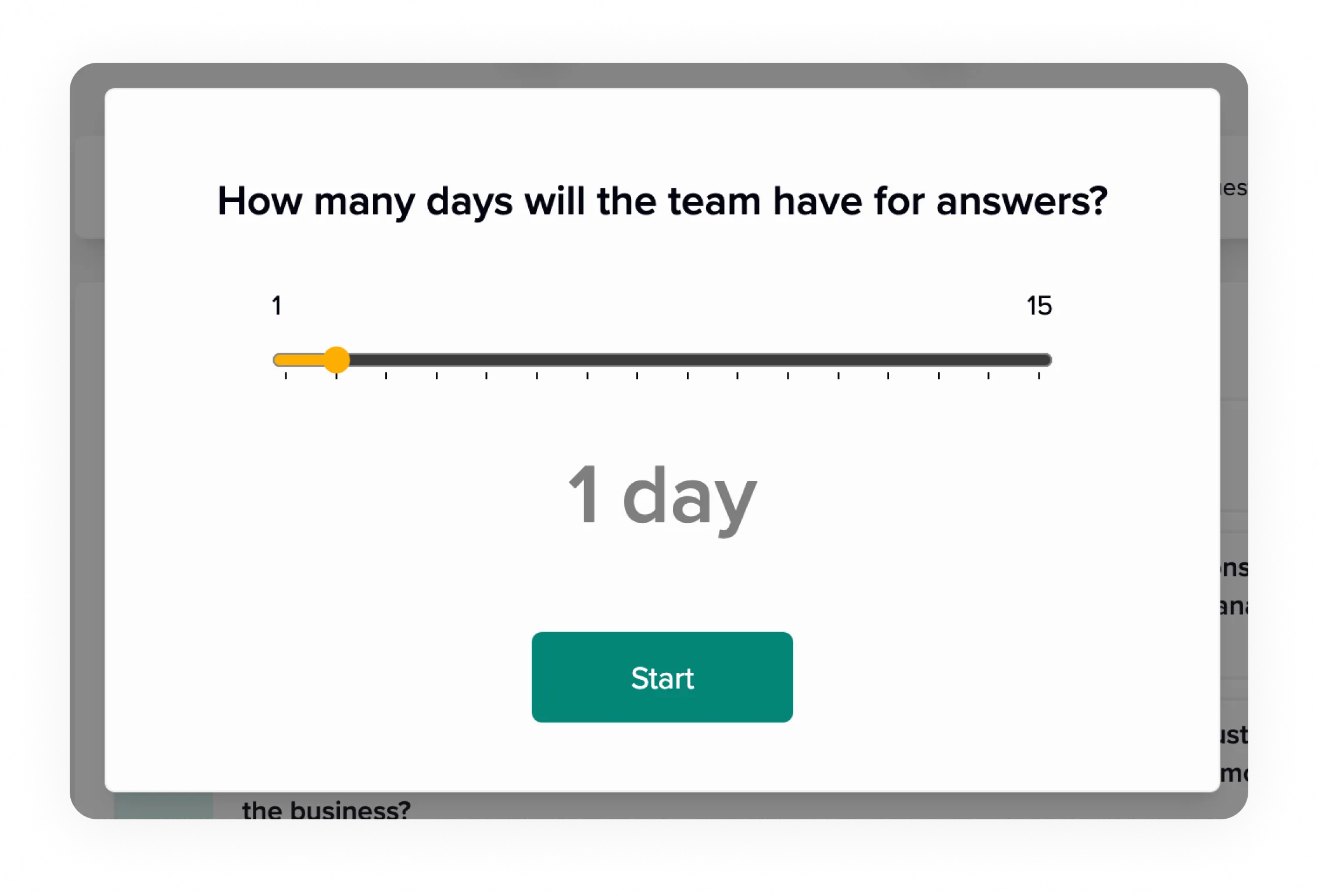
Select the number of days the team has to develop and review all the answers.
Answer Development
- Read how to develop or revise answers in the collaborator guide.
- Read how to review and approve answers in the collaborator guide.
Extend sourcing period
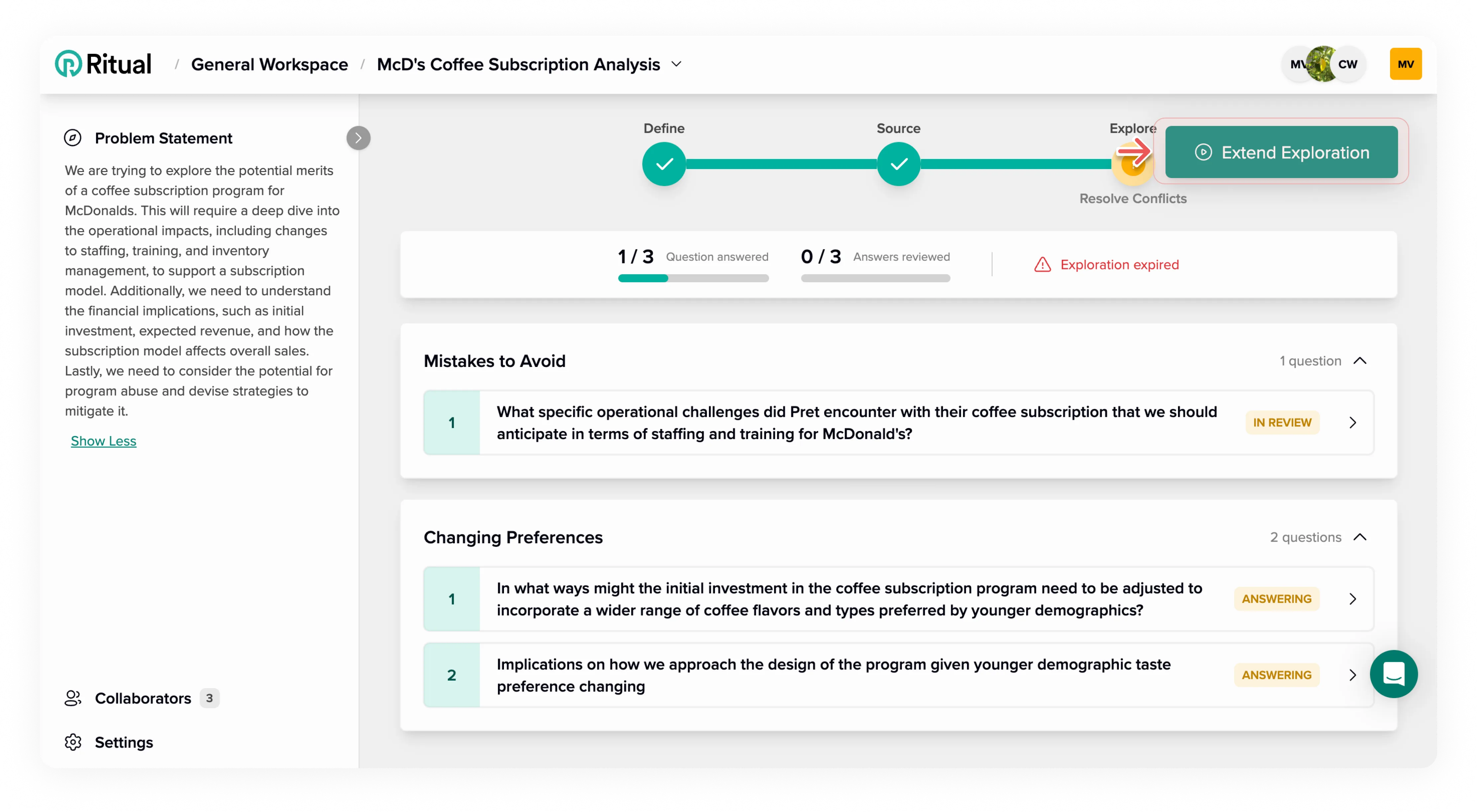
The exploration concludes once all questions have been addressed. If the period allocated for the exploration expires before you are able to address all the questions, you have the option to extend the exploration.
Next steps
Once all answers are approved, see Drive Alignment to turn answers into recommendations.