

Exploration Space
An exploration space is where the discovery-to-recommendation workflow happens for a single exploration. The timeline at the top shows the current stage; the panels below adapt as the exploration moves through sourcing, review, running, and completion.
Sourcing questions
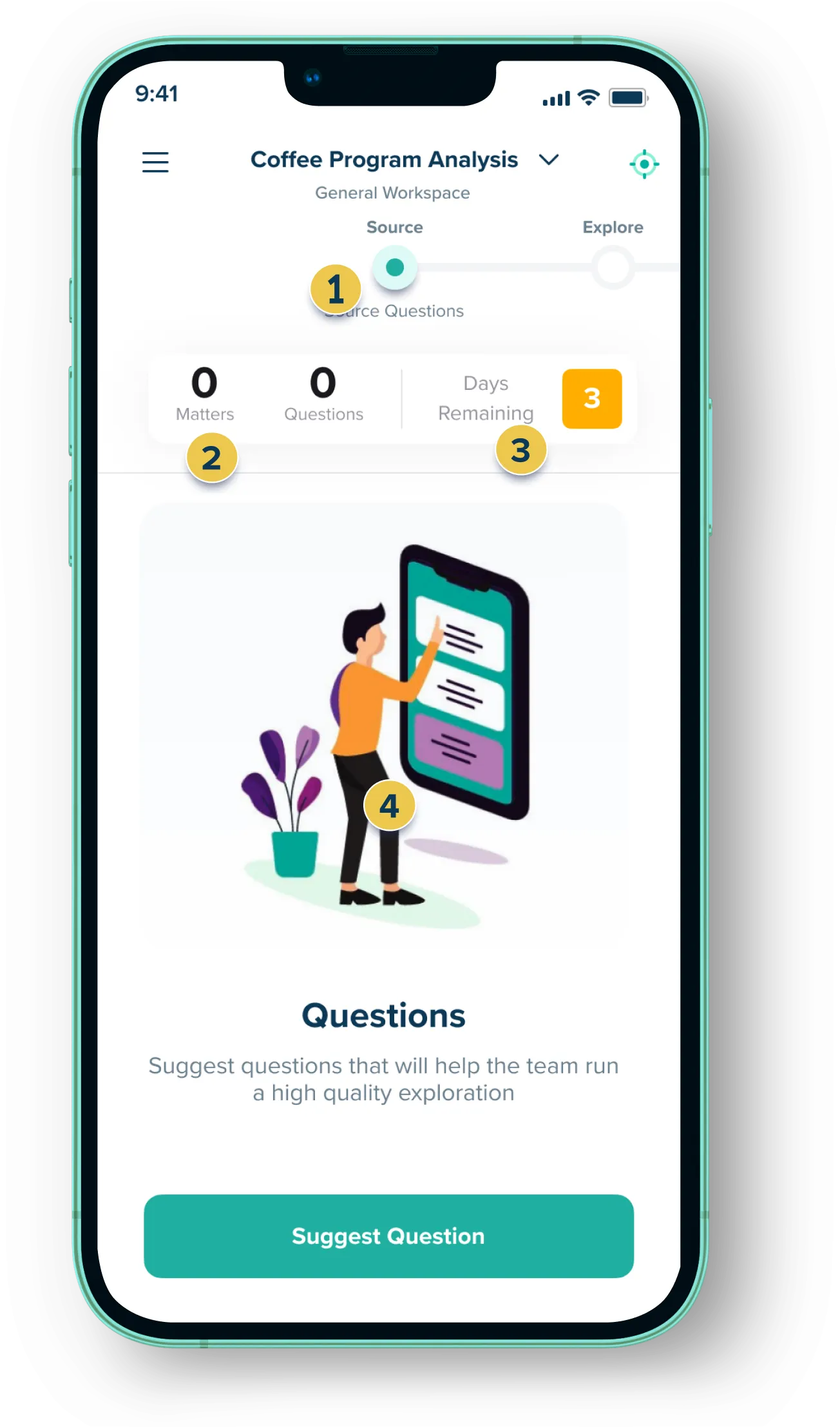
Primary Action: Suggest questions
- At the top of the exploration space, you’ll notice a timeline. This timeline lets the team know what stage the exploration is in and what’s coming up next. Here the current stage of the exploration is
Sourcing Questions - While collaborators can see real time counts for the total number of questions suggested, they can only see their own questions until the sourcing period has ended. After that point, everyone is notified over email and they can see the overall question list.
- The time remaining in the sourcing period is displayed here.
Reviewing questions
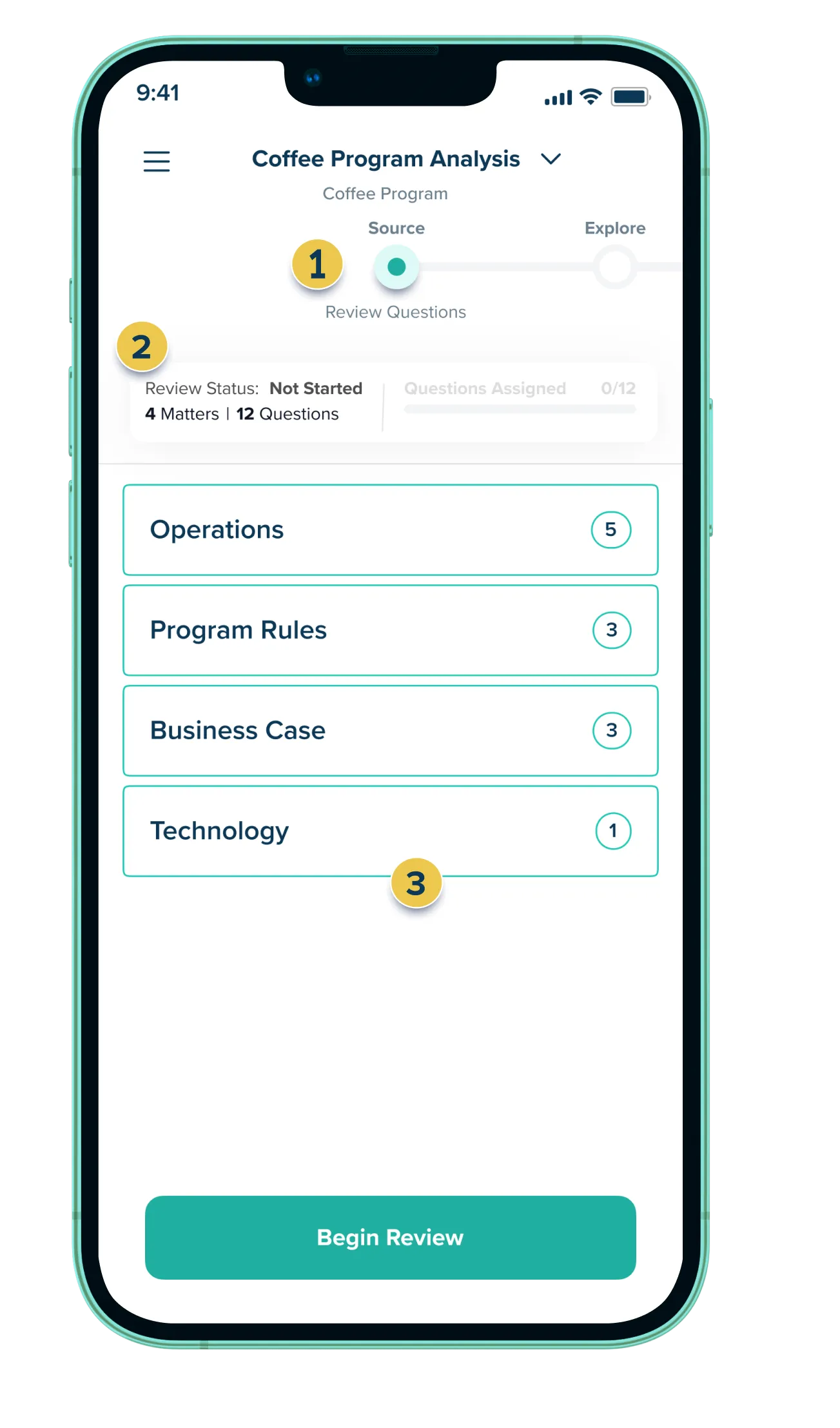
Primary Action: Review questions -> Assign questions
- The timeline has updated to reflect the state of the exploration is now for reviewing the questions from the sourcing period.
- The total number of sourced questions and matters are shown here. The state of the review is shown at the top.
- The questions suggested by all collaborators are listed here.
Running exploration
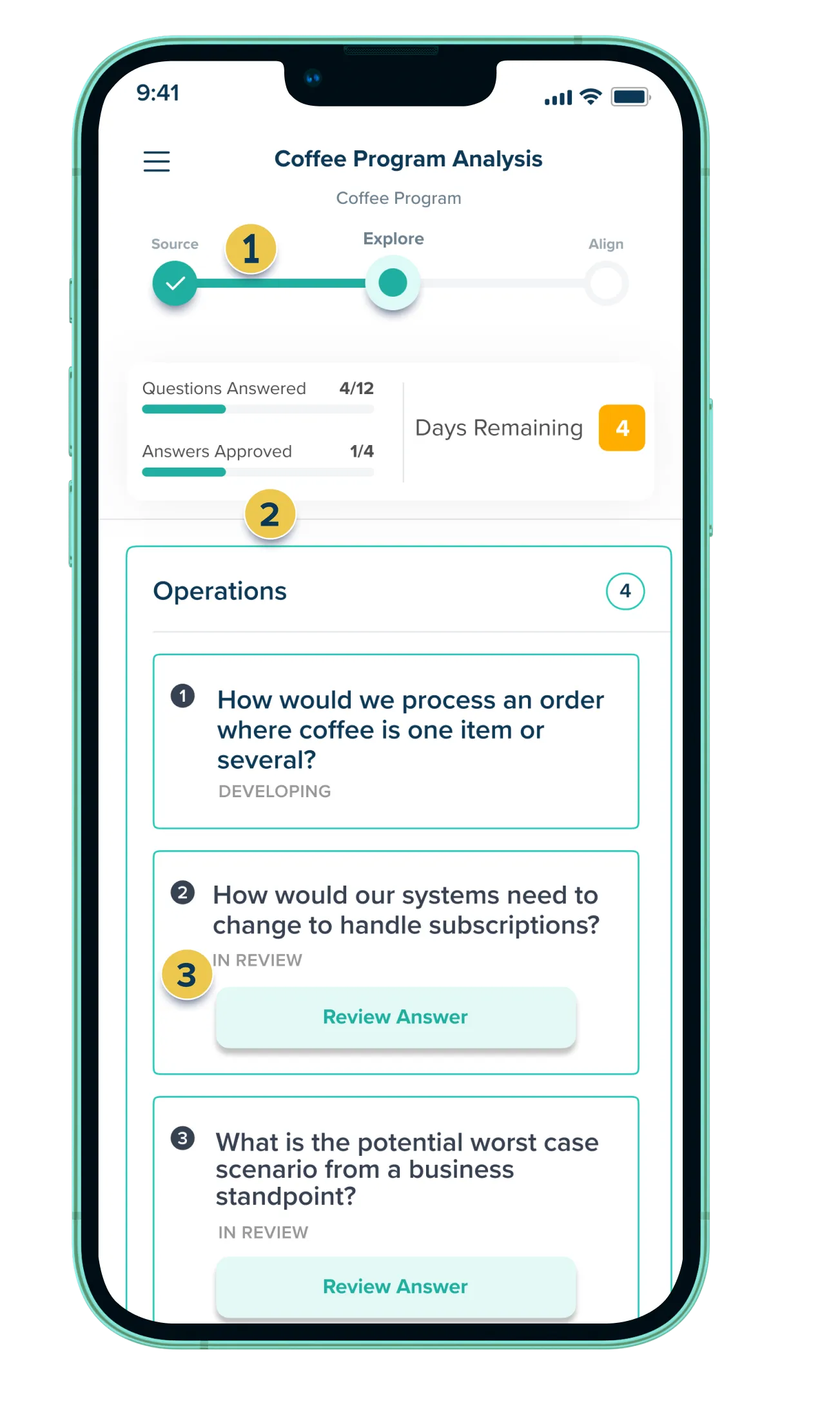
Primary Action: Answer and review questions
- The timeline now shows the exploration is in the answering phase.
- The total number of questions answered and answered reviewed are shown here.
- Users assigned to answer or review a question will see a button appear here.
Exploration complete
Primary Action: View completed exploration
- The timeline has updated to reflect the state of the exploration is now completed. The content is available for the team to drive alignment.