

Drive Alignment
After completing your exploration and gathering insights from discovery questions, Ritual generates actionable recommendations to drive alignment and decision-making. This guide walks you through the recommendations workflow and how to collaborate effectively to refine and implement them.
Understanding the Recommendations View
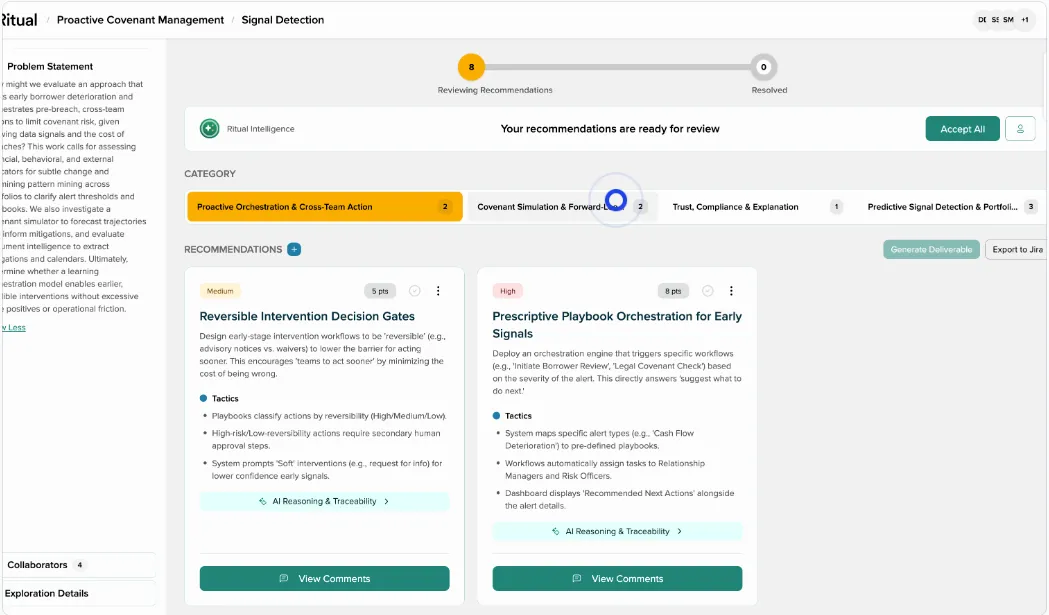
Once your exploration reaches the recommendations phase, you’ll see your recommendations organized by category. The interface displays:
- Category tabs: Recommendations are grouped into relevant categories (e.g., “Proactive Orchestration & Cross-Team Action”, “Covenant Simulation & Forward”, etc.)
- Recommendation cards: Each category contains multiple recommendation cards with Medium/High priority indicators
- Progress indicator: Shows your current stage in the exploration workflow (Problem Statement → Reviewing Recommendations → Resolved)
- Accept All button: Allows admins to accept all recommendations at once
Working with Individual Recommendations
Each recommendation card includes:
Core Elements
- Title: Clear, action-oriented recommendation
- Priority level: Medium or High priority indicator
- Tactics section: Specific actions to implement the recommendation
- AI Reasoning & Traceability: Links showing how the recommendation was derived from your exploration answers
Collaboration Features
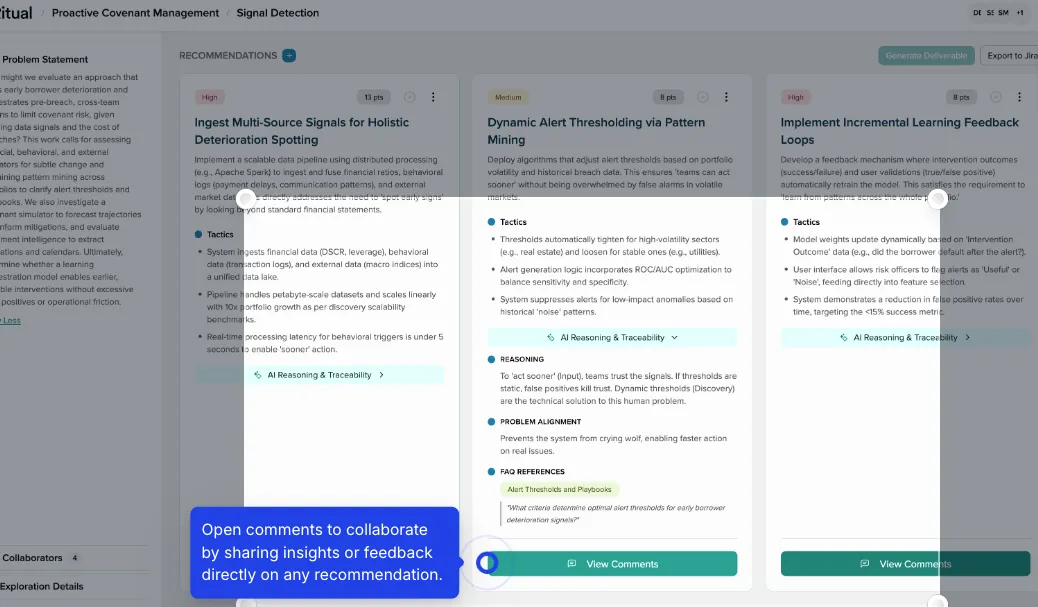
- View Comments: Opens discussion threads for each recommendation
- Collaborator count: Shows number of team members engaged
- Exploration Details: Additional context and background
Collaborating on Recommendations
Open Comments for Feedback
Click “View Comments” on any recommendation to open the comments panel where collaborators can:
- Share insights or feedback
- Suggest modifications
- Ask clarifying questions
- Provide additional context
Comment Best Practices
- Be specific: Reference particular aspects of the recommendation
- Stay focused: Comments should relate directly to improving or clarifying the recommendation
- Action-oriented: Frame feedback in terms of concrete changes or improvements
Reformulating Recommendations
When collaborators provide substantive feedback:
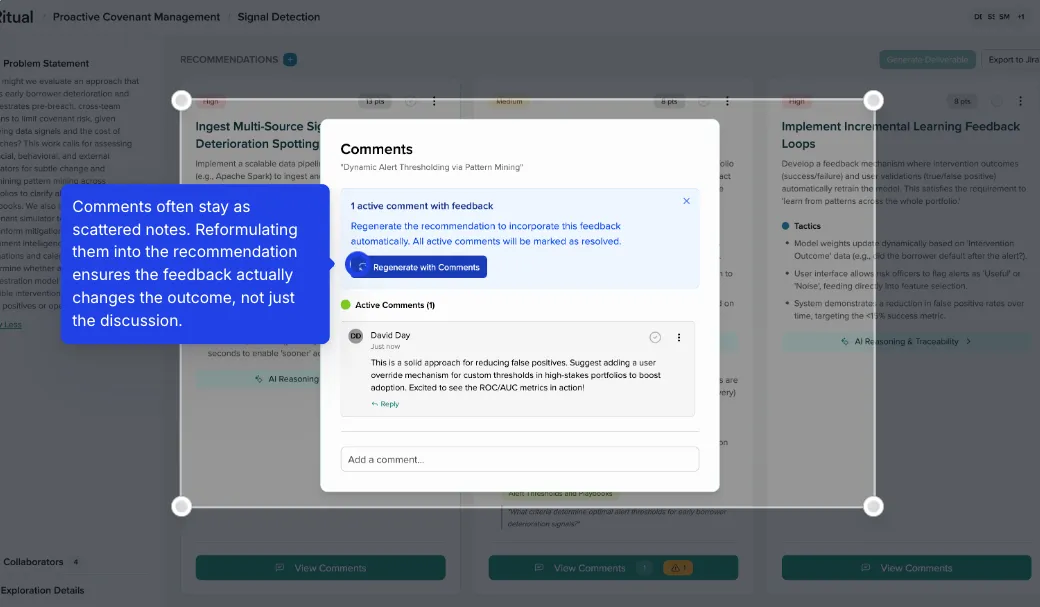
- The system captures comment intent
- Click “Regenerate with Comments” to incorporate feedback
- The recommendation updates to reflect team input
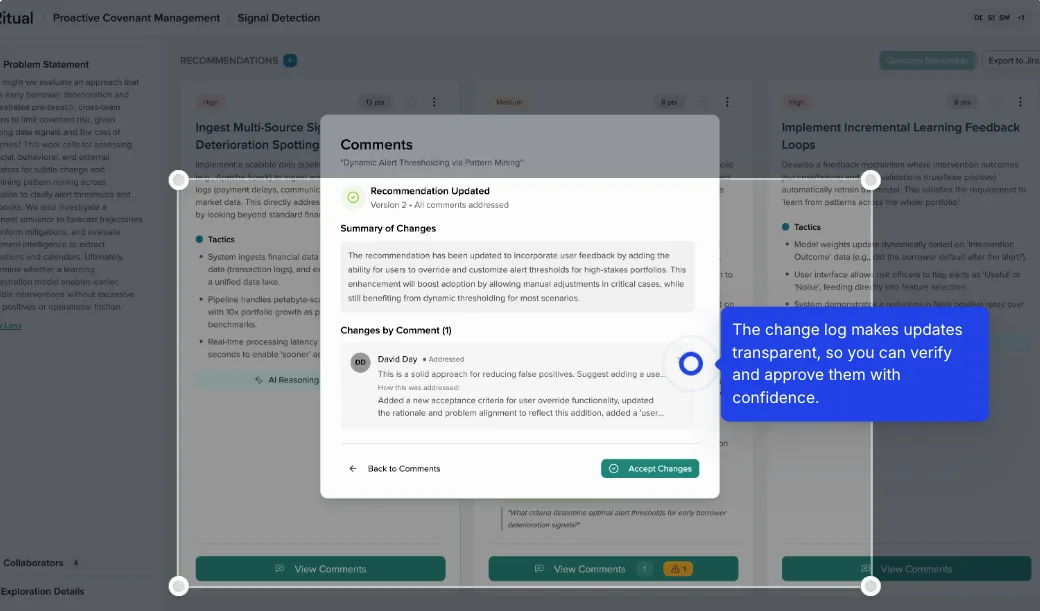
- A change log documents all modifications
Managing Recommendation Updates
Version Control
- Version tracking: Each recommendation maintains version history
- Change summaries: Clear documentation of what changed between versions
- Comment attribution: Shows which feedback influenced changes
Accept Changes Workflow
- Review the updated recommendation
- Check the “Summary of Changes” section
- Verify changes align with team feedback
- Click “Accept Changes” to finalize
Transparency Features
- All changes are logged and visible
- Team members can see how their input shaped final recommendations
- Complete audit trail for decision-making
From Recommendations to Action
Export to Project Management Tools
Ritual integrates with common project management systems:
- JIRA: Generate ready-to-import tickets
- Asana: Create tasks with full context
- Monday.com: Export as actionable items
- Atlassian Suite: Full integration support
Generate Deliverables
Based on your artifact selection, recommendations transform into:
- PRDs: User stories and epics format
- Strategic Narratives: High-level initiatives
- Technical Specs: Implementation requirements
- Product Briefs: Feature descriptions
Best Practices for Driving Alignment
- Review comprehensively: Examine all recommendations before accepting
- Encourage participation: Invite all stakeholders to comment
- Iterate based on feedback: Use the regeneration feature when substantial input is provided
- Document decisions: Use comments to capture why certain changes were made
- Export promptly: Move accepted recommendations into your workflow tools quickly
Next Steps
After finalizing recommendations:
- Export to your project management system
- Share the final artifact with stakeholders
- Use recommendations in planning meetings
- Track implementation progress
The recommendations workflow ensures that exploration insights translate into aligned, actionable outcomes that your entire team can execute with confidence.